Local Pre-De-Identification Strategy for Medical Content Review
Medical content review teams face a difficult privacy problem.
The safest privacy review is not always the one that detects privacy leakage after upload. In many cases, the better architecture is to detect and de-identify sensitive material before it leaves the user's local environment.
This is especially true for medical PPT review.
Medical materials often contain scanned reports, examination forms, HIS/LIS/PACS screenshots, DICOM images, physician signatures, barcodes, sample QR codes, and system watermarks. If these raw materials are uploaded first and reviewed later, the privacy risk has already entered a network transfer path.
That is why de-identification should not be treated only as a cloud-side review function.
For high-risk medical materials, teams need a local pre-de-identification strategy.
What local pre-de-identification means
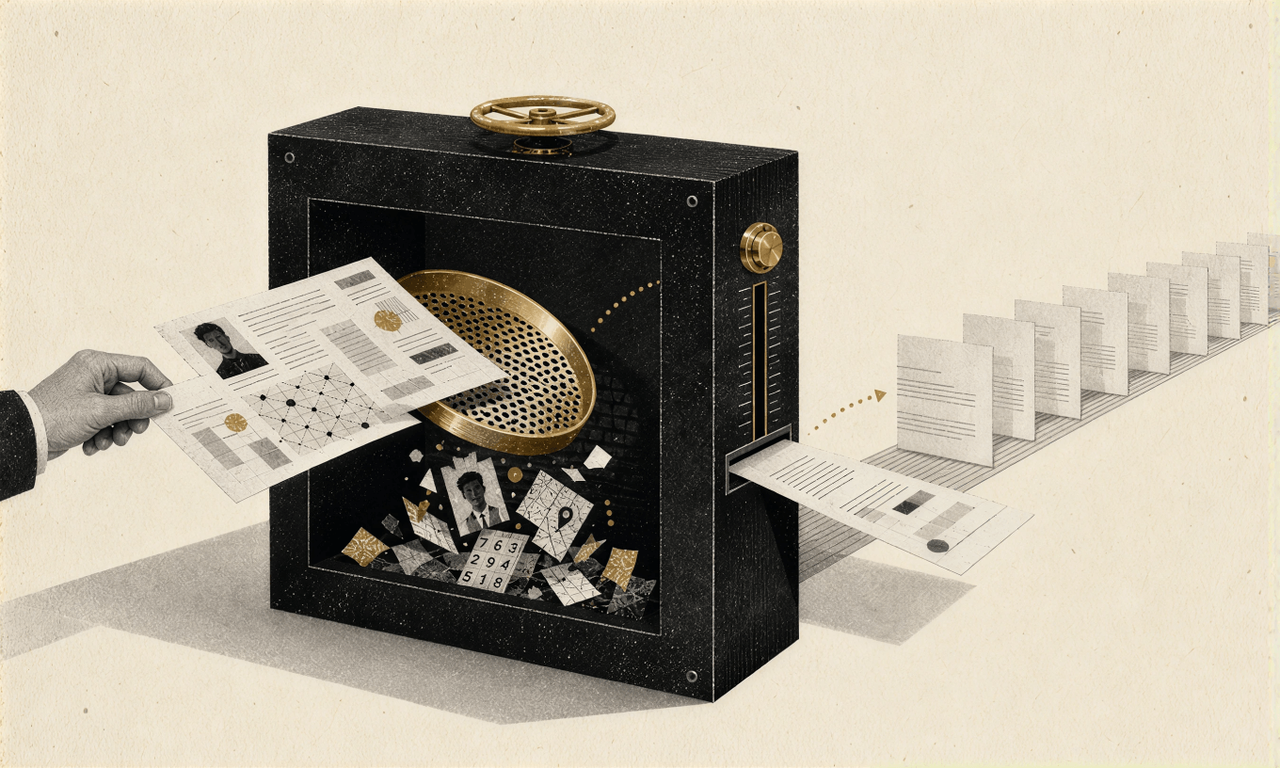
Local pre-de-identification means detecting, masking, or rewriting sensitive privacy fields inside the user's local workstation, client-side sandbox, or enterprise intranet before the material is uploaded to the review platform.
The goal is not to replace formal review. The goal is to prevent raw personal information from entering the cloud in the first place.
A practical model has three zones:
User space
The user selects the original PPT or PDF material on a local workstation. The raw material remains local.
Local redactor
A lightweight local engine performs privacy detection and masking. It can run OCR, classify page scenes, identify text and image regions, and rewrite the underlying structure where needed.
Review platform
Only the cleaned, de-identified copy is uploaded for broader AI review, compliance analysis, or downstream collaboration.
This changes the privacy posture of the workflow. Instead of "upload first, detect later," the team moves toward "detect locally, upload clean."
Why cloud-only privacy review is not enough
Traditional cloud review often follows a remediation sequence:
- The user uploads a material that may contain raw personal information.
- The cloud system detects sensitive information in the uploaded file.
- The system flags the issue and asks the user to fix it.
- The business team masks the issue locally and uploads the file again.
This workflow can still identify privacy issues, but it has a structural weakness: by the time the system detects the risk, the raw material may already have been transmitted.
For ordinary content, that may be acceptable. For medical materials containing real patient or physician information, it can create unnecessary risk.
The safer model is local pre-processing:
- The user selects the original PPT or PDF in a local environment.
- A local engine quickly detects privacy-sensitive fields.
- The system performs physical masking or structure-level rewriting locally.
- Only the cleaned material enters the cloud review workflow.
The difference is important. The first model handles leakage after upload. The second reduces the chance of leakage before upload.
A six-step local redaction pipeline
ZENO's privacy review logic can be understood as a modular pipeline.
1. Material preprocessing
The system first converts the original material into structured objects. It analyzes each page, extracts underlying text where available, predicts layout coordinates, and splits visual regions from text regions.
This step is important because medical PPTs are not only text. They may contain embedded images, scanned reports, system screenshots, and DICOM visual content.
2. Business scene classification
The system then classifies the page scene. It determines whether the page is a patient profile, laboratory report, examination form, HIS/LIS/PACS screenshot, DICOM image, speaker introduction, reference page, or expert committee list.
The same name may require different treatment depending on this classification.
3. Review point judgment
After classification, the system identifies whether the page may contain a privacy review point. It may detect patient names, ID numbers, medical insurance numbers, admission numbers, visit card numbers, examination numbers, image numbers, physician signatures, phone numbers, or email addresses.
It also checks whether a detected name belongs to a reasonable exception, such as a speaker name, reference author, or expert committee member.
4. Text and image pathway split
Readable PPT text and visual material should not be handled the same way.
For text boxes, tables, captions, footnotes, and references, the system can use NLP and rule-based filtering. For lab report images, system screenshots, PACS images, and DICOM images, it needs a visual pathway that can detect embedded text, corner annotations, signatures, and low-contrast watermarks.
5. Document-image recognition
The system then identifies and localizes privacy-sensitive objects in each pathway. This includes high-risk fields in reports, physician signatures, DICOM corner text, and system traces.
This stage should return not only a label, but also a coordinate region that can be highlighted, reviewed, or masked.
6. Rule validation and de-noising
The final step turns suspected privacy into trusted warnings.
Rules and whitelists help reduce false positives:
- A patient name in a lab report should be masked
- A speaker name on a cover page may be released
- A reference author name should usually be released
- A physician phone number may require partial de-identification
- A public institutional hotline should not be treated like a private mobile number
- A DICOM corner field may require visual masking
This is how the system avoids producing a black-box warning. It outputs coordinates, reasoning, and a remediation suggestion.
From warning to evidence chain
A useful privacy review output should not simply say:
This page may contain privacy information.It should show:
- The page number
- The field type
- The detected content
- The coordinate box
- The page location
- The reason for the decision
- The suggested action
For example:
{
  "page": 8,
  "has_private_info": true,
  "private_info_list": [
    {
      "type": "patient_name",
      "content": "John Smith",
      "bbox": [120, 240, 150, 320],
      "location": "top left of lab report"
    },
    {
      "type": "admission_number",
      "content": "A123456",
      "bbox": [100, 800, 130, 950],
      "location": "top corner of lab report"
    }
  ],
  "suggestion": "Mask patient name and admission number."
}
This gives reviewers something they can verify. They can see where the issue is, why it was flagged, and what remediation is suggested.
Why local pre-de-identification matters for business teams
Local pre-de-identification creates value for three groups.
For business teams, it reduces repeated back-and-forth caused by privacy corrections. Materials can be cleaned before upload, which lowers avoidable review cycles.
For reviewers, it turns privacy review from manual hunting into coordinate-level verification. The reviewer can click into the exact region instead of scanning the entire slide.
For compliance teams, it reduces the chance that raw personal information leaves the local environment. It also creates a more complete evidence chain for why an item was masked, released, or escalated.
The goal is not to make AI the final judge. The goal is to move privacy protection earlier in the workflow.
What good looks like
A strong local pre-de-identification workflow should provide:
- Local detection before upload
- Physical masking or structure-level rewriting
- Coordinate-level issue localization
- Rule-based explanation
- White-list filtering for legitimate names
- A clean copy for cloud review
- An audit trail for what was changed and why
This is the direction ZENO is designed to support: not a cloud-only "privacy warning," but a pre-review architecture that helps prevent raw personal information from spreading in the first place.
This article focuses on local pre-de-identification before medical content materials enter the review platform. For specific implementation details, please through our official website.
Review Point Explainer: Prescribing Information Placement in Medical Content Materials
A valid PI check asks more than whether a final page exists. It verifies the information, the product, and the distribution context.